
How to Choose a Home Office Desk for Multiple Monitors
An effective home office combines balance, comfort, efficiency, and style. If you use two or three monitors, choosing the right desk becomes crucial. Look for ample space, sturdy construction, cable management, and ergonomic features that keep you comfortable and productive for extended periods.
Let's discuss and unfold the step-by-step process to selecting a home office desk for multiple monitors, what to investigate when purchasing, and demonstrate the best desktop multi-monitor on the market today, with some of the highest quality specifications being offered by Meet&Co Furniture.

Source:iStockphoto

Why Your Desk Choice Matters for Multiple Monitors
An ordinary desk can appear to be beautiful, but it soon becomes impractical when you start adding more monitors.
The requirements for dual or triple monitors are stability, width, and flexibility of layout to avoid clutter and straining the neck. Having an appropriate desk provides better posture, productivity, and makes your workplace look organized and inspirational.
7 Essential Tips to Choose a Home Office Desk for Multiple Monitors
Selecting the right desk for a multiple-monitor setup is crucial for creating a productive and comfortable workspace. The perfect desk goes beyond just fitting your monitors—it needs to support your equipment, accommodate your workflow, and promote healthy ergonomics. Here are the essential factors to consider when choosing a desk for your multiple monitor configuration.
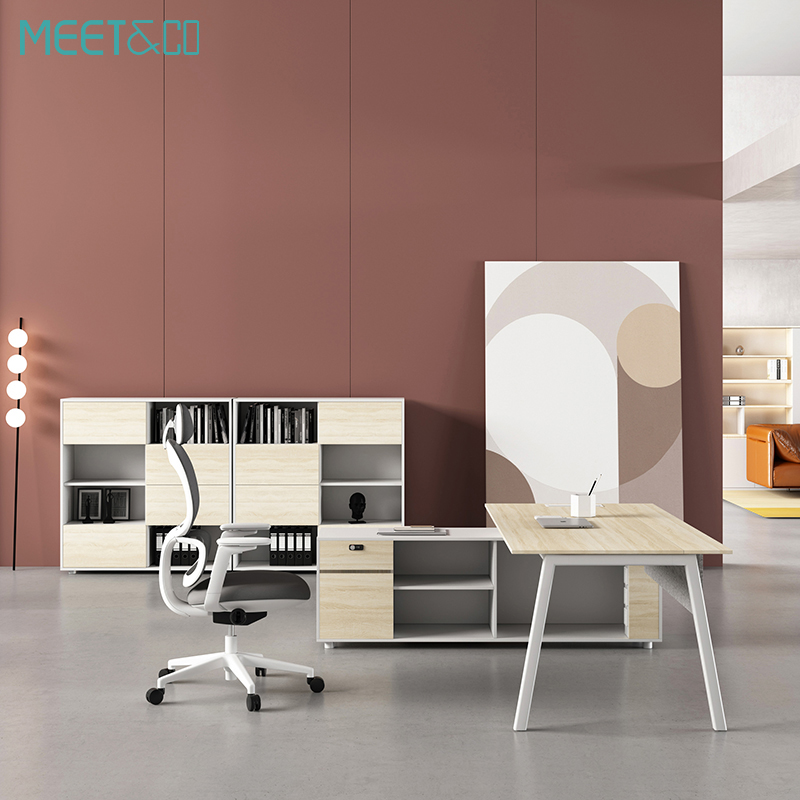
1. Measure Your Space Before Buying
Measure the workspace first before you go browsing for desks. Measure your room’s dimensions, including wall length, window placements, and where electric outlets are situated. Several different types of monitors require a larger desk, perhaps at least 55-70 inches long, 25-30 inches deep.
If there is a space constraint, L-shaped desks are best to utilize the corners without crowding in the room.
2. Prioritize Desk Width and Surface Area
A spacious working desk allows your monitors to have plenty of space to be moved around and position your keyboard, laptop, and other accessories. In case you are using two 24-inch monitors, a 60-inch desk is ideal.
Find desks with extended wings, add-ons that can be expanded or configured to look like a desk, such as the Sendi Sit to Stand Desk by Meet&Co, which comes with a vast space and the ability to change its configuration to add multiple screens.
3. Check for Weight Capacity and Stability
Monitors, laptops, and peripherals may contribute to the weight. Select a desk that has a carrying capacity of at least 70-100 kg, and it will not tip over or wear off as time goes by.
Steel frames and reinforced legs create a bonus of extra sturdiness in case you use the monitor arm or standing desktop converters.
4. Opt for Ergonomic Height Adjustability
Prolonged spending on desks may cause back strain and fatigue. An adjustable desk allows you to stand and sit interchangeably, which is better for enhancing circulation and improving posture.
Ergonomic chairs such as the Sendi Sit to Stand Desk created by Meet&Co combine the fluid electric operation, controllable height control, and collision detectors- keeping one comfortable and safe when switching jobs.
5. Consider Cable Management Solutions
Several monitors mean several cables, power cords, HDMI cables, and adapters, etc. Look for desks that have inbuilt cable trays, grommet holes, or an under-desk rack.
Adequate cable management is helpful to keep the cables in a well-organized appearance and minimizes the risk and inconveniences of damaged cords, leading to accidents and technical glitches.
6. Evaluate Material and Design Aesthetics
Design must be appropriate to functionality. Select material to match your home office décor, such as to keep it warm, use wood, or for minimalistic use, metal, or if you like elegant and smooth, then use glass.
The furniture of Meet&Co combines aesthetics with high-quality and durable artistry, which enables them to create a stylish workspace that is comfortable to work in while being visually pleasing.
7. Don’t Forget Storage and Organization
Additional drawers, side cabinets, and shelves may help immensely when it comes to organizing documents and accessories. When using a multi-monitor setup, it is essential to have a clutter-free desktop to concentrate on your work.
Choose your desks with built-in storage or combine your primary desk with the discreet storage space at Meet & Co to fully utilize space.
Top 5 Home Office Desks for Multiple Monitors
The following are five of the most successful home office desks that can idealize the use of multiple monitors- suitable in terms of productivity, comfort, and aesthetic appearance.
1. Sendi Sit to Stand Desk – Modern Adjustable Desk for Multi-Monitor Setups
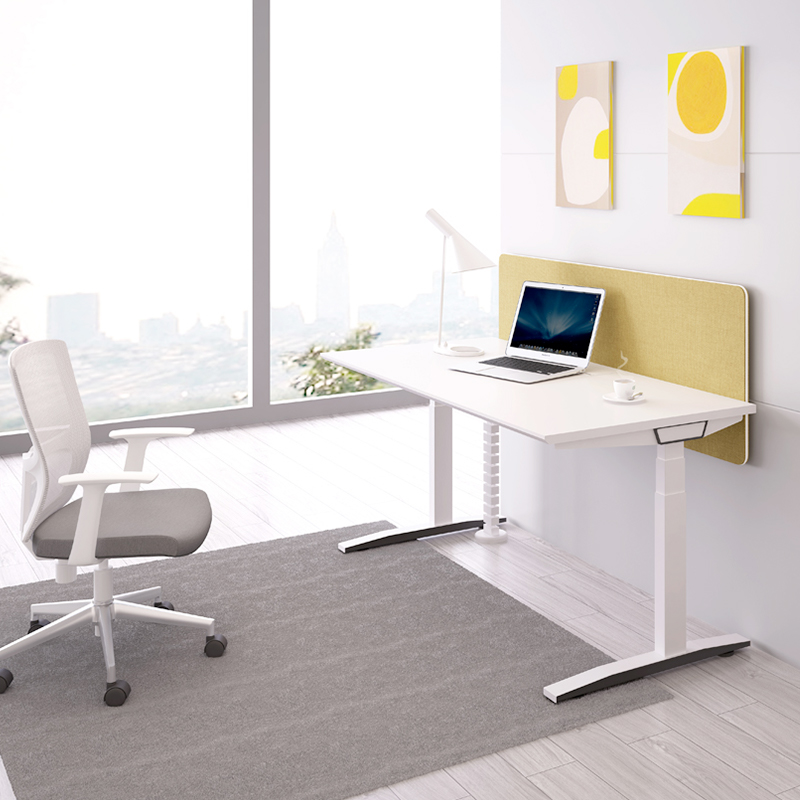
The Sendi Sit to Stand Desk by Meet&Co is a versatile workstation that combines height adjustability with a sleek, professional design. Ideal for dual or triple monitor setups, it’s also available in an L-shaped configuration for corner offices.
Key Features:
-
Electric, potentially adjustable height with memory recall.
-
Extra-large tabletop perfect with numerous monitors.
-
The smooth lift system has an anti-collision feature.
-
Modern minimalist design with a strong steel frame.
Why it’s Ideal:
It enables you to easily make a transition between sitting and standing postures, with a comfortable posture, and manage multiple screens without inconvenience.
2. LINORA L-Shaped Home Office Desk – Spacious and Stylish
The LINORA L-shaped desk is stylish and efficient for those who prefer a corner workstation. With smooth lines, a smooth surface, and broad dual wings, it can hold multiple monitors with ease, while adding aesthetics and sophistication to your home office.
Key Features:
-
Large capacity of 2-3 monitors.
-
Storage and in-built drawers.
-
Corner optimization L-shaped layout.
-
Modern is gracefully designed with a solid construction.
Why It’s Ideal:
Ideal for making the most out of home offices, whether in a small or a large room, whilst projecting a professional image.
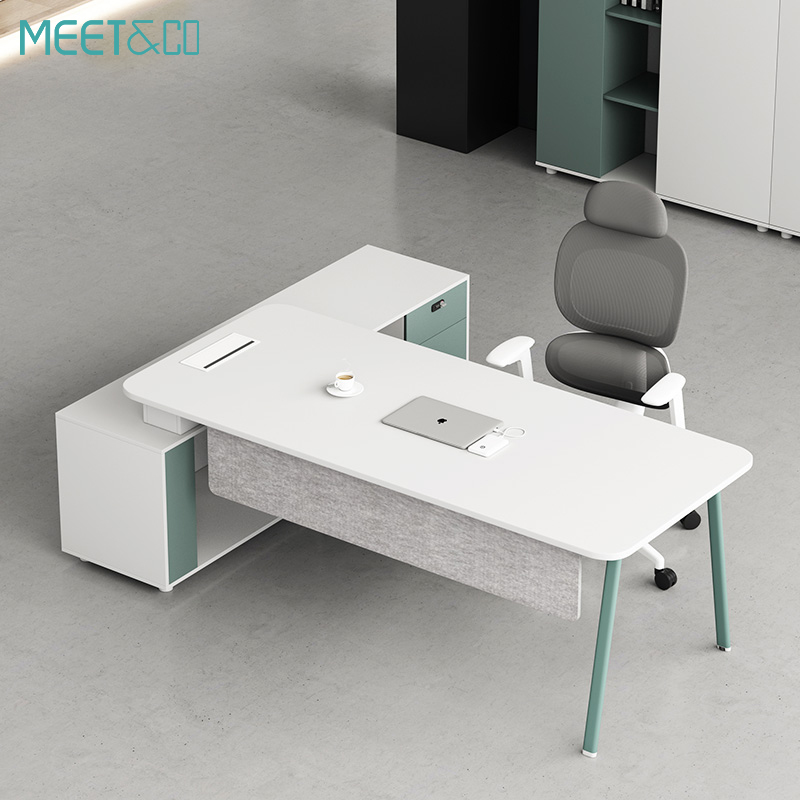
3. Aston Modular Workstation – Functional Simplicity for Dual Displays
The Aston Modular Workstation by Meet&Co focuses on ergonomic comfort. Designed to support professionals working remotely as well as tech enthusiasts, it can be used in sitting and standing positions and is ideal for multitaskers and hybrid working environments.
Key Features:
-
Dual-motor system of stable height changes.
-
Minimalist architecture with extensive area coverage.
-
Weight-stabilizing (reinforced steel) legs.
-
Quiet lifting mechanism
Why It’s Ideal:
Not only does it support the use of two monitors simultaneously without vibrations, but it is also height-adjustable to ensure a healthy posture during your working hours.
4. LUMODESK Executive Desk – Premium Style Meets Functionality
LUMODESK Executive Desk unites sophistication and functionality. Designed to accommodate the top executives and creative individuals, it has plenty of space to accommodate multiple monitors while showing a neat aesthetic.
Key Features:
-
Wide screens top up to 3 monitors.
-
Wood finish, high-end, and built-in cable ports.
-
Optional return on the side to get extra space.
-
Contemporary executives are made of finer materials.
Why It’s Ideal:
With an executive shape and strong, durable build, it’s ideal for demanding workstations without compromising on style.
5. Height Adjustable Standing Desk – Reliable Sit-Stand for Multiple Monitors
The motorized height-adjustable desk is sturdy enough for dual or triple monitors, adjusts height smoothly, and keeps cables neatly managed for a clutter-free workstation.. It is one of the practical ones when you require power and versatility without losing a home-office appearance.
Key Features:
-
Simple height control panel, electric height adjustment.
-
The top is made of a steel frame and E1-grade MFC, which is durable.
-
In-built cable control and preset possibilities.
-
Home decor finishes and size choices
Why It’s Ideal:
A solid sit-stand workstation able to hold enormous monitor setups and have the cables organized in an orderly fashion - great when one has the option to sit down and stand up due to excessive work shifts.
Best Layout Tips for a Dual Monitor Setup on a Small Desk
Setting up a dual monitor configuration on a small desk doesn't have to be complicated. By using the proper layout and monitor arrangement, you can maximize your desk space and create an efficient, clutter-free workspace. Here are detailed layout tips and monitor arrangements that fit small desks while ensuring you maintain an ergonomic and productive environment.

Side-by-Side Arrangement
One of the most common setups is placing two monitors side-by-side, adapted for smaller spaces using thin-bezel monitors.
-
Choose monitors with 22-24 inches and ultra-thin bezels to save desk space and minimize gaps between screens.
-
Adjust the monitors so they're angled slightly inward, forming a slight V-shape to optimize your field of view.
-
This creates a seamless viewing experience without requiring too much horizontal space.
Vertical Setting
When desk space is tight, vertical stacking is an innovative solution where one monitor sits above the other.
-
Place the primary monitor at eye level to avoid neck strain during extended use.
-
Use a sturdy monitor stand or monitor arm to position the second monitor above the first securely.
-
This setup is ideal for narrow desks or when you need to monitor multiple applications without frequently switching between them.
Diagonal or Corner Arrangement
For L-shaped or corner desks, the diagonal arrangement maximizes available surface area effectively.
-
Use dual monitor stands or arms to adjust height levels so monitors are perfectly aligned.
-
Keep the primary monitor centered and the secondary monitor slightly angled for quick reference access.
-
This configuration prevents monitors from taking up the entire desk surface while maintaining ergonomic positioning.
Use Monitor Arms to Free Up Desk Space
Monitor arms are game-changers for small desks, lifting monitors off the surface to create more workspace.
-
Opt for dual monitor arms with independent adjustment capabilities for customized positioning.
-
Adjust monitors to eye level, forming a slight curve to reduce eye and neck strain.
-
Manage cables effectively with clips or sleeves to maintain a tidy workspace.
One Horizontal, One Vertical (Portrait Mode)
This hybrid setup combines landscape and portrait orientations for maximum efficiency.
-
A vertically aligned monitor takes up less horizontal space, perfect for small desk setups.
-
Ideal for coding, writing, reading long documents, or monitoring social media feeds
-
Use a monitor arm to rotate screens easily between landscape and portrait mode as needed.
FAQs – How to Choose a Home Office Desk for Multiple Monitors
1. What size do I need for two monitors?
One should use a 55-70-inch-wide desk to accommodate the dual monitor setups because it has ample space to move around and to install peripherals.
2. Should I get an L-shaped desk for multiple monitors?
Yes, L-shaped desks such as LINORA by Meet&Co are space-efficient and can be separated into two types of tasks, which are best suited to be conducted in multitasking and dual-monitor work.
3. Are standing desks good for multiple monitors?
Absolutely. Standing desks are better postured, less tiring, and capable of supporting the weight of two monitors with the right rating.
4. How can I keep cables organized with multiple monitors?
Use desks that have a cable management system, like grommet holes, trays, or an under-desk organizer, to avoid cluttered desks and trips.
5. What material is best for a home office desk?
Solid wood, MDF, and steel-framed or laminated finishes are durable, stable, and have modern appearances.
6. Is Meet&Co Furniture suitable for home offices?
Yes. Meet&Co Furniture focuses on high-performance, modern ergonomic furniture of corporate and domestic good ergonomics- comfort, design, and performance.
Conclusion
Creating a good home office starts with proper desk selection. In the case of multi-monitor systems, space, strength, ergonomics, and style must be balanced. And regardless of your taste for either an adjustable desk or an executive one, the correct one will change your everyday routine and make it comfortable.
Meet&Co Furniture is part of the top brands that are distinguished by modern craftsmanship, ergonomics, and extended quality. The Sendi Sit to Stand Desk, LINORA L-shaped executive desk, and each of these desks is designed to help you achieve your productivity and your aesthetic contribution without compromising on comfort.
Ready to upgrade your workspace?
Visit Meet&Co Furniture today to see and learn about a variety of home office multi-monitor desks, ergonomic seats, and teaming space options—a place where modern design meets professional comfort.